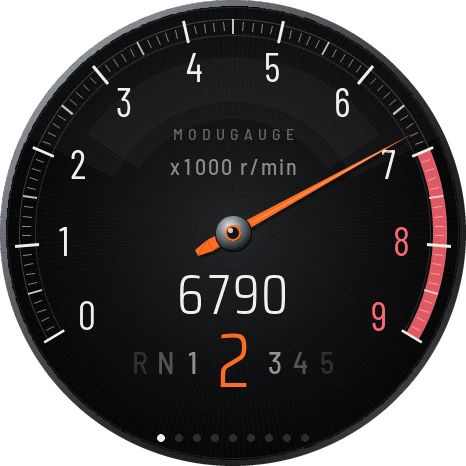
Gauge Studio demo with example readings and warning thresholds. Download this setup.
Everything your ECU knows, in one 52 mm gauge.
A round touch gauge for street builds. It reads your aftermarket ECU over CAN, fits a standard pod, and shows the readings you choose in a look you choose.
NZ$399 Out of stock · Waitlist open
Eight looks, every page.
Each look is a finished design for every page: tacho, big, boost, warnings and more. Pick one, then choose what each page shows. Or take any page apart and make it yours.
Made by the community
The public gallery.
Explore designs shared from Gauge Studio. Open a setup, make it your own, or share a design with the community.
Loading designs…
Make it yours
Build a custom display, step by step.
Watch Midnight GT come together from a blank face, then see it tested on the demo drive.
Glass, housing and mounting
A clean face.
A secure fit.
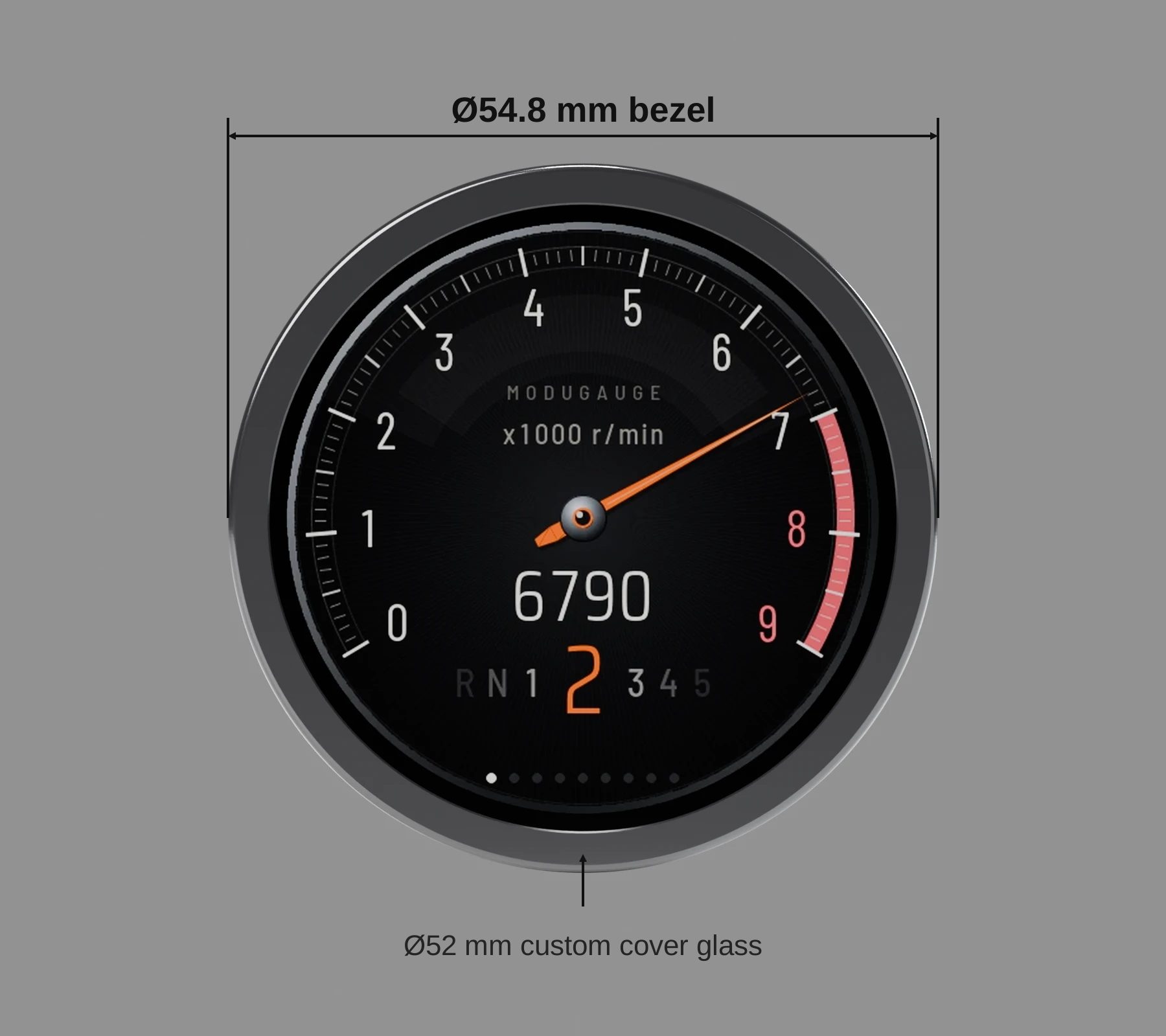
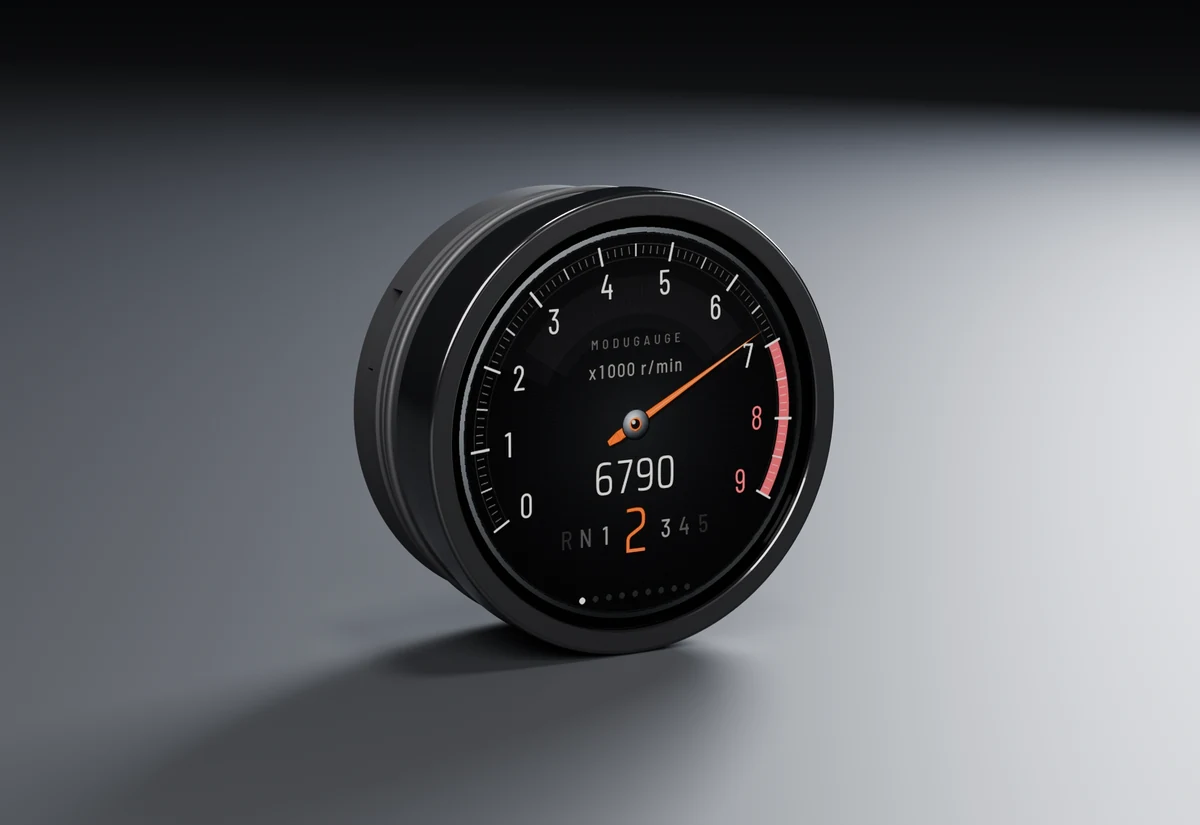
Custom Ø52 mm cover glass with anti-reflection coating, framed by a smooth gloss black bezel. A compact nylon body sits behind the panel.
Custom glass, less reflection.
The 1.8-inch IPS touch display sits beneath a custom 52 mm laminated cover glass. Its AR coating is designed to reduce reflections, while the gloss bezel gives the face a clean edge.
Cover glass Ø52 mm · Bezel Ø54.8 mm
Clamped from behind.
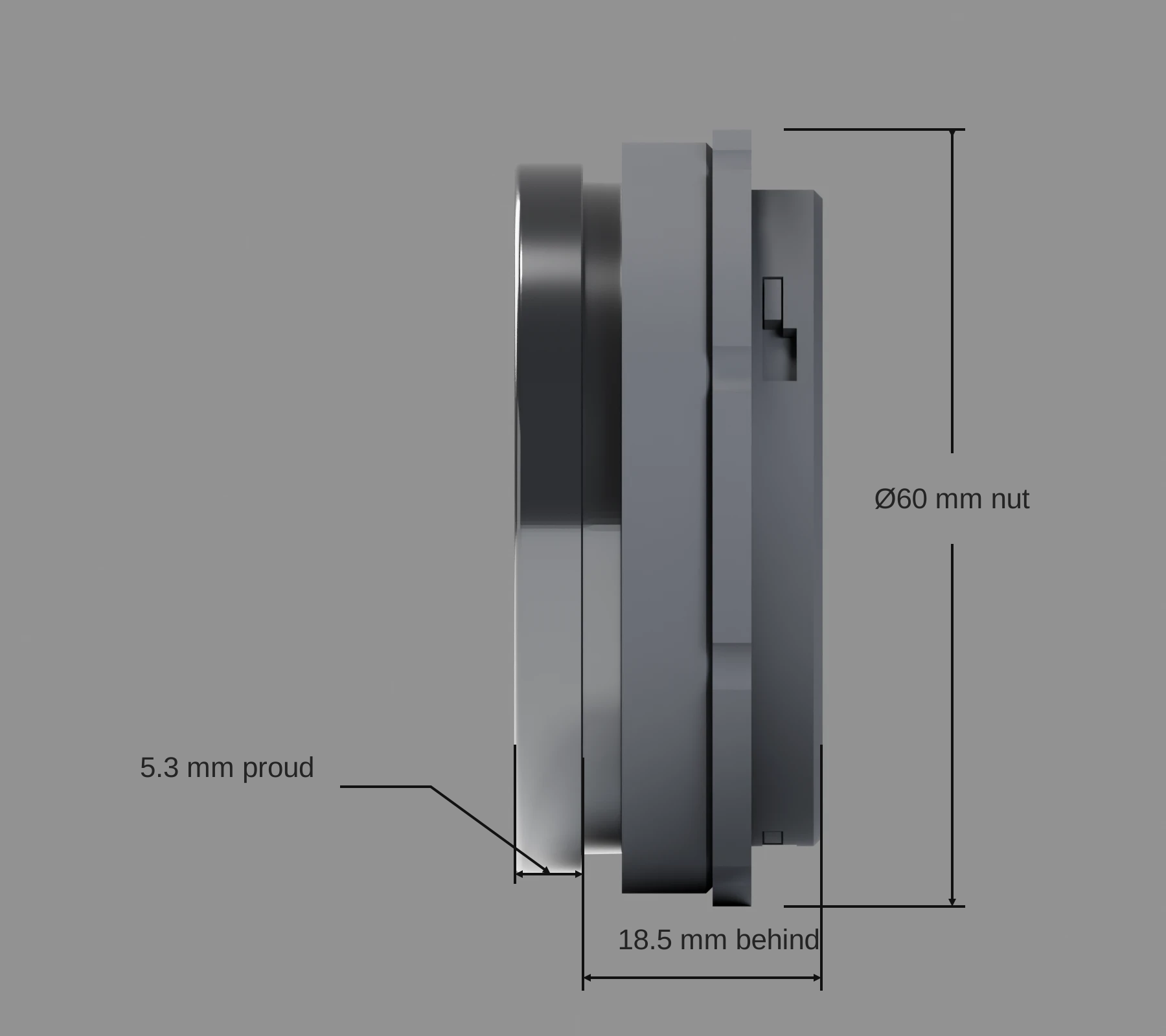
For a flat panel, the sleeve slides over the body and the threaded nut holds it against the back of the panel. Different sleeve lengths suit different panel thicknesses.
5.3 mm in front · 18.5 mm behind · Ø60 mm clamp nut
Check the space.
The current design uses a nominal 52 mm hole and a 54.8 mm outer bezel. Allow 18.5 mm behind the panel for the housing, plus clearance for plugs and cable bends. The clamp nut needs 60 mm of diameter behind the panel.
Choose the mounting method.
The rear clamp suits flat panels approximately 1.9–7.8 mm thick and needs access from behind. Suitable pod cups use O-ring retention instead. Check the pod's internal diameter and depth before fitting.
Renders show the housing design, not measured optical performance. Mounting-kit contents will be confirmed before orders open.
Built for the car, not the bench
Calm when all is well. Impossible to miss when it isn't.
- 01
Reads your ECU directly
Pick your ECU and the gauge knows its CAN messages. For anything else, enter the values from the maker's document or import a DBC file.
- 02
Warnings that take over
Up to 32 limits, such as low oil pressure only while the engine runs, or coolant over a limit. A warning fills the whole face until you tap it, or just turns the reading amber or red.
- 03
Eight page layouts
Single, dual, quad, big, shift light, trend, a 0–100 km/h timer and a touch keypad. Swipe the touch screen to change pages.
- 04
A keypad your ECU can see
Turn a page into up to four touch buttons that the ECU reads as a Haltech or CANopen keypad: launch, anti-lag, maps.
- 05
Dims with your headlights
Wire the dimmer input to your parking lights and the gauge drops to its night brightness, so it never dazzles you on a dark road.
- 06
Your units, your limits
°C or °F, kPa, bar or psi, lambda or AFR. Scales and limits stay right when you change units.
ModuGauge Studio
Set it up before it's in the car.
Studio runs the gauge's own software in your browser. What you see there is what the gauge draws, pixel for pixel. Try it now; no account and nothing to install.
- ECUPick your ECU and see what to turn on in its software.
- LookChoose a look, an accent and a start-up screen with your car's name.
- PagesClick a reading on the gauge to change it. Set warnings and the shift point.
- TestPlay a demo drive, then force a warning or a lost signal to see what happens.
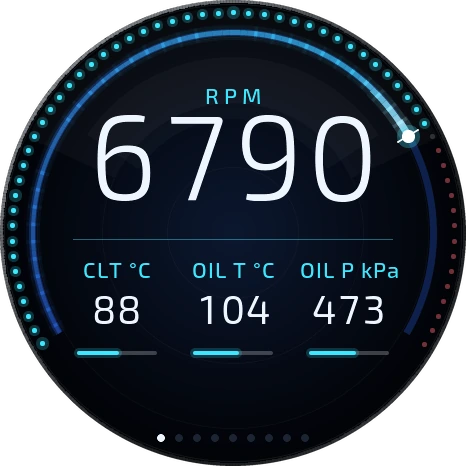
Loads about 2 MB. Best on a laptop.
Works with the ECU you have.
Built-in profiles come from each maker's CAN documentation and are being checked on real cars before the first batch ships. Every other ECU with a CAN broadcast works through custom values.
| ECU | How it connects | Status |
|---|---|---|
| Haltech Elite and Nexus | Haltech CAN broadcast, 1 Mbit/s | Built-in profile |
| MaxxECU | MaxxECU CAN output | Built-in profile |
| ECUMaster EMU Black | EMU CAN stream | Built-in profile |
| rusEFI and uaEFI | rusEFI CAN broadcast | Built-in profile |
| Link G4X and G5 | Generic Dash stream | Experimental |
| MoTeC, AEM and others | Your own CAN values or a DBC file | Custom setup |
ModuGauge 52
NZ$399
The first batch is in development. The waitlist hears the ship date first.
- ModuGauge 52 with custom Ø52 mm AR cover glass and smooth gloss black bezel
- Vehicle harness: 12 V, ground, CAN high and low, dimmer
- Quick-start card with the wiring and setup steps
Questions
When does it ship?
The first batch is being built and tested now. People on the waitlist hear the expected dispatch date and confirmed price before orders open. There's no payment now, and joining does not reserve stock or lock in the displayed price.
Will it fit my car?
It is designed for a nominal 52 mm mount, with a 54.8 mm bezel and 18.5 mm housing depth behind the panel. Allow extra space for plugs and cables. The rear clamp suits flat panels; suitable pod cups use O-ring retention. Check the fitting guide. You also need an aftermarket ECU with CAN, switched 12 V and ground.
Can I make my own design?
Yes. Start from any look, pick each page's layout and readings, change the colours and add a photo or your car's name. Free-form layouts, where you place every part of the face yourself, are coming to Studio.
Does it work without a dash or a laptop?
Yes. The gauge works on its own. Basic settings are on the gauge itself; Studio does the rest from a laptop over USB-C. Setup from your phone over the gauge's own Wi-Fi is planned for a later update.